TrueLang in daily use
Once the plugin is in place, here's everything you can do. Fourteen screens, and options nobody shows.
Translate the entire site, with one button
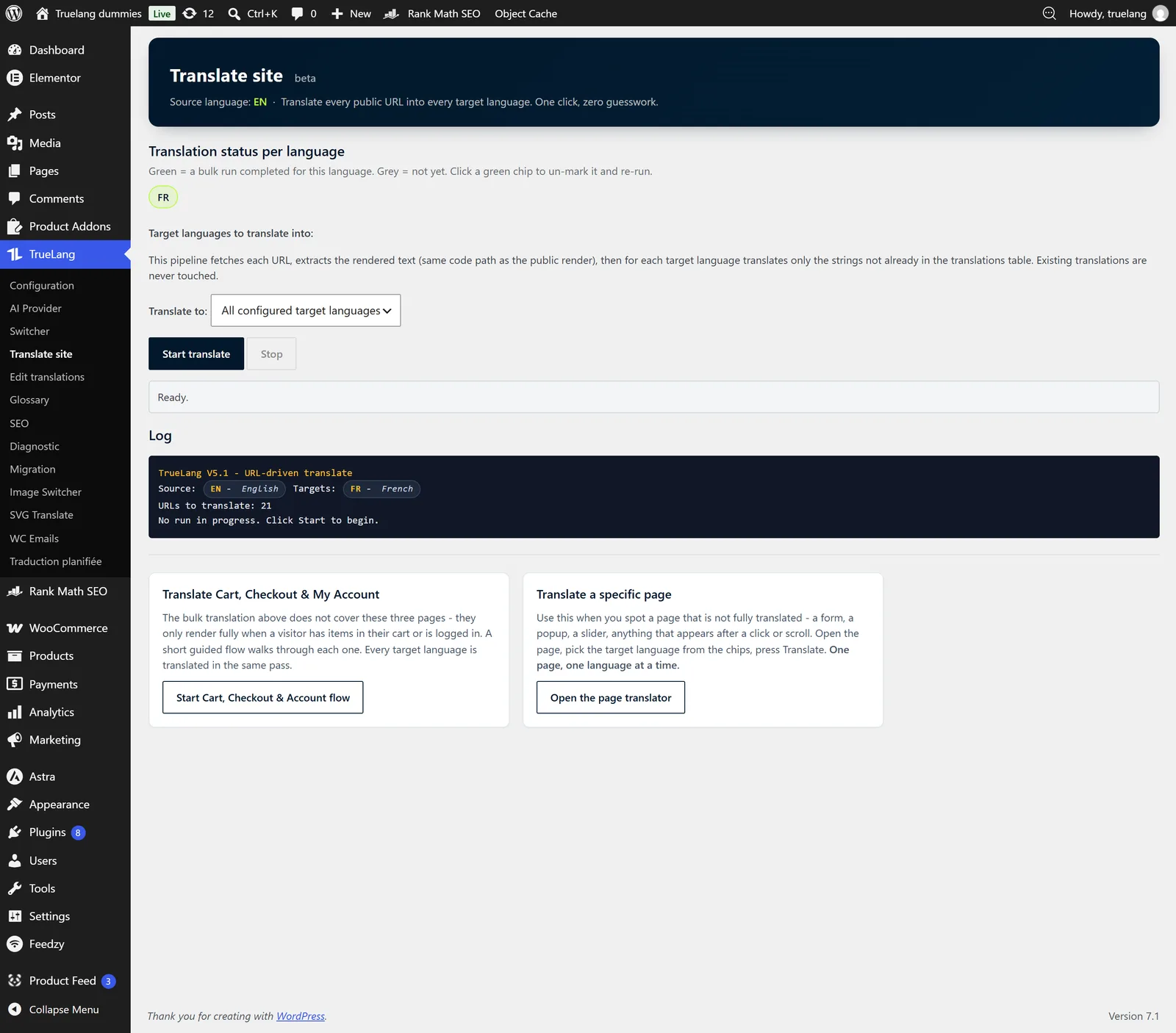
The Translate site page lists your languages as pills. Gray: the language has never run. Green: its pass is complete. Click a green pill to reopen it and relaunch the language.
You translate all your languages at once or just one, you click Start, and the log scrolls URL by URL. The number of pages to process is announced before you begin.
The pass never retranslates what's already in the database: for each language, only missing sentences go to the AI. Relaunching a language doesn't repay what's already translated.
You can stop mid-way. On return, a banner offers to resume where you left off, or start over.
What if a page fails?
TrueLang displays the faulty URL, the language, the provider's raw error message, and a readable explanation. Nothing fails silently.
You decide: retry this URL, skip it, stop everything. And when the server can't call itself, a button switches translation to browser mode.
Cart, checkout, customer account: the guided journey
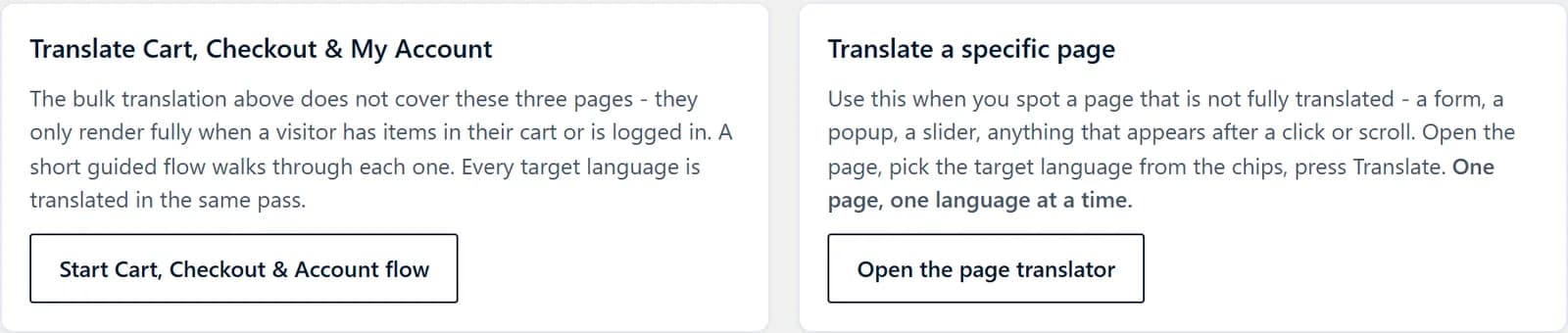
These three WooCommerce pages only display completely if the visitor has items in their cart or is logged in. A mass pass never sees them filled.
A guided journey lets you walk through each one while TrueLang captures. All your target languages are translated in the same pass.
Alongside, the page translator handles the rest: a form, a popup, a slider, anything that only appears after a click or scroll. You open the page, choose the language, translate. One page, one language at a time.
Translate from the WordPress list
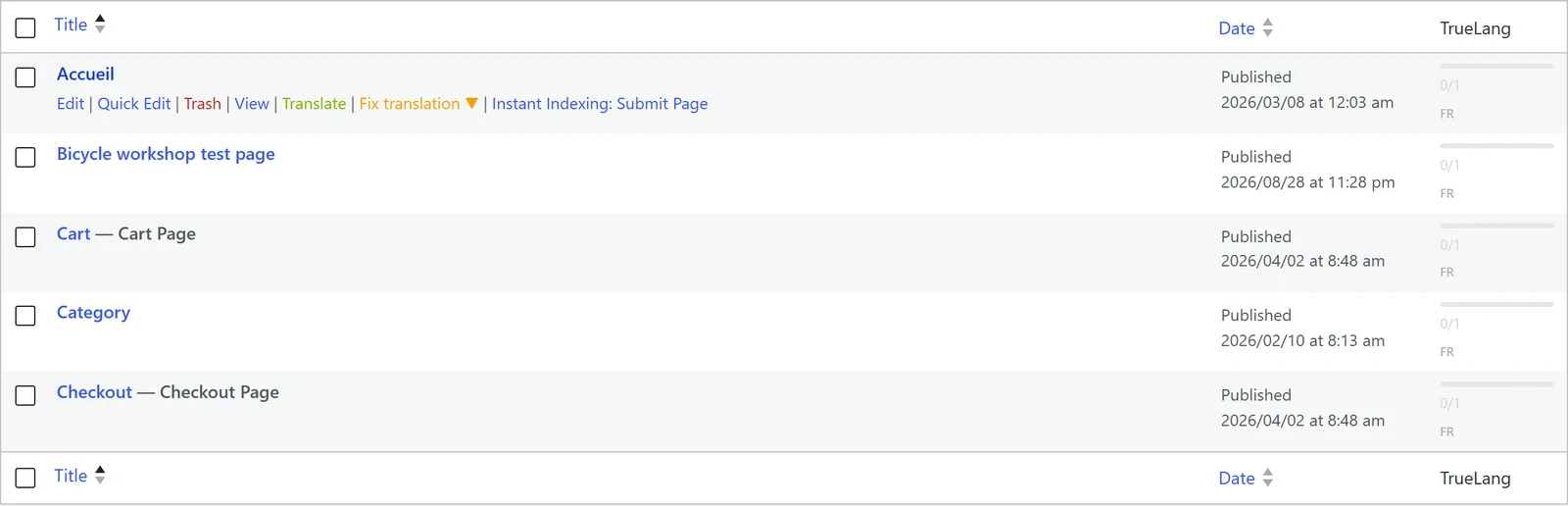
A TrueLang column is added to your article, page, and product lists: a progress bar, the count translated out of total, and each language's code. Green when the translation is current, orange when the page has been modified since, gray when it's missing.
On hovering over a row, two actions appear: Translate, which launches that page alone in all your languages, and Fix translation, which revisits a specific language.
And a bulk action processes an entire selection at once, like any WordPress bulk action.
New content translates itself
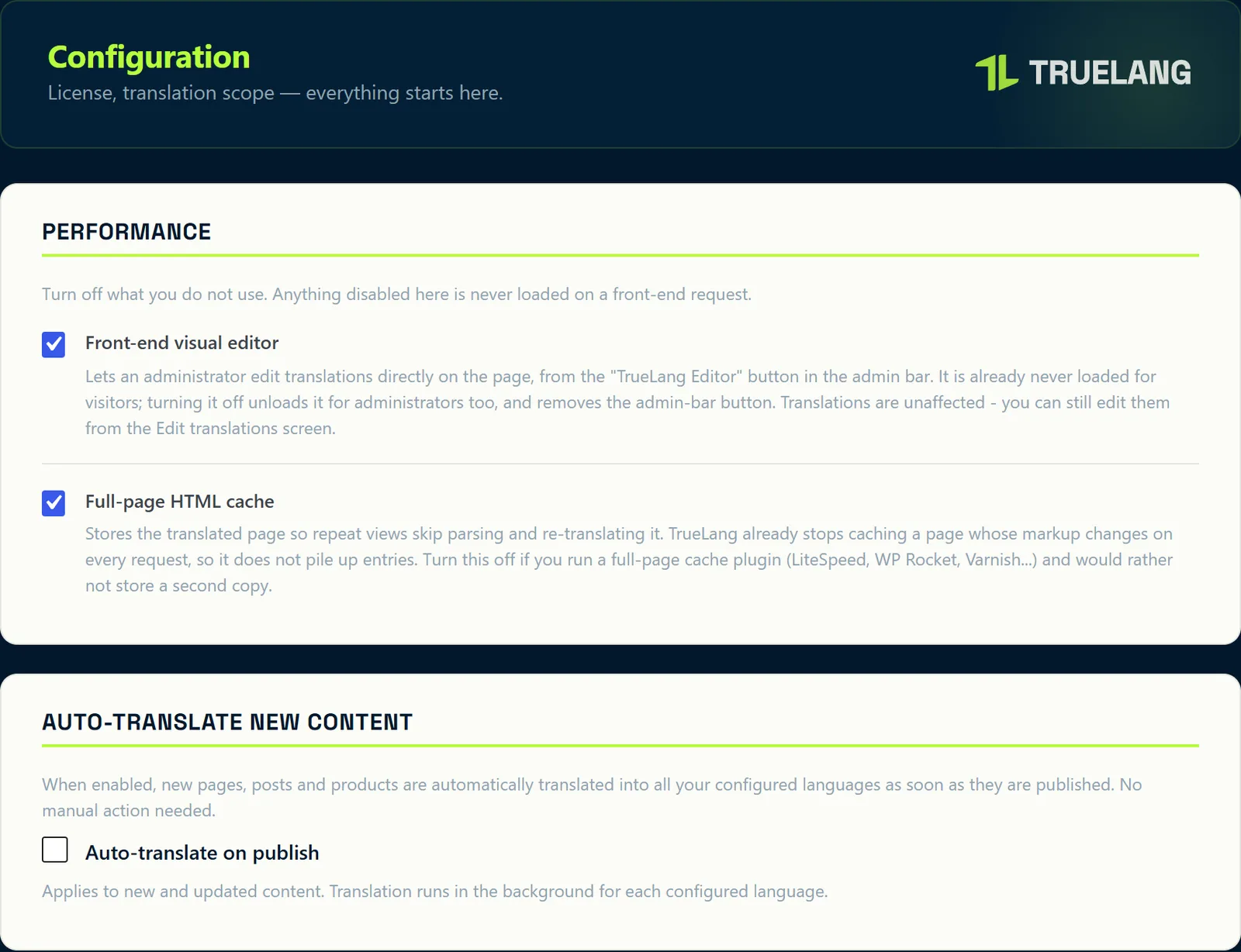
A checkbox in Settings: each published page, article, or product goes to translation in all your languages in the background. Nothing to launch manually.
It also applies to content modified afterward.
On the same screen, two performance switches: the front-end visual editor, which isn't loaded for your visitors anyway, and full-page HTML cache, to turn off if you're already running LiteSpeed, WP Rocket, or Varnish.
Fix a sentence from the site itself
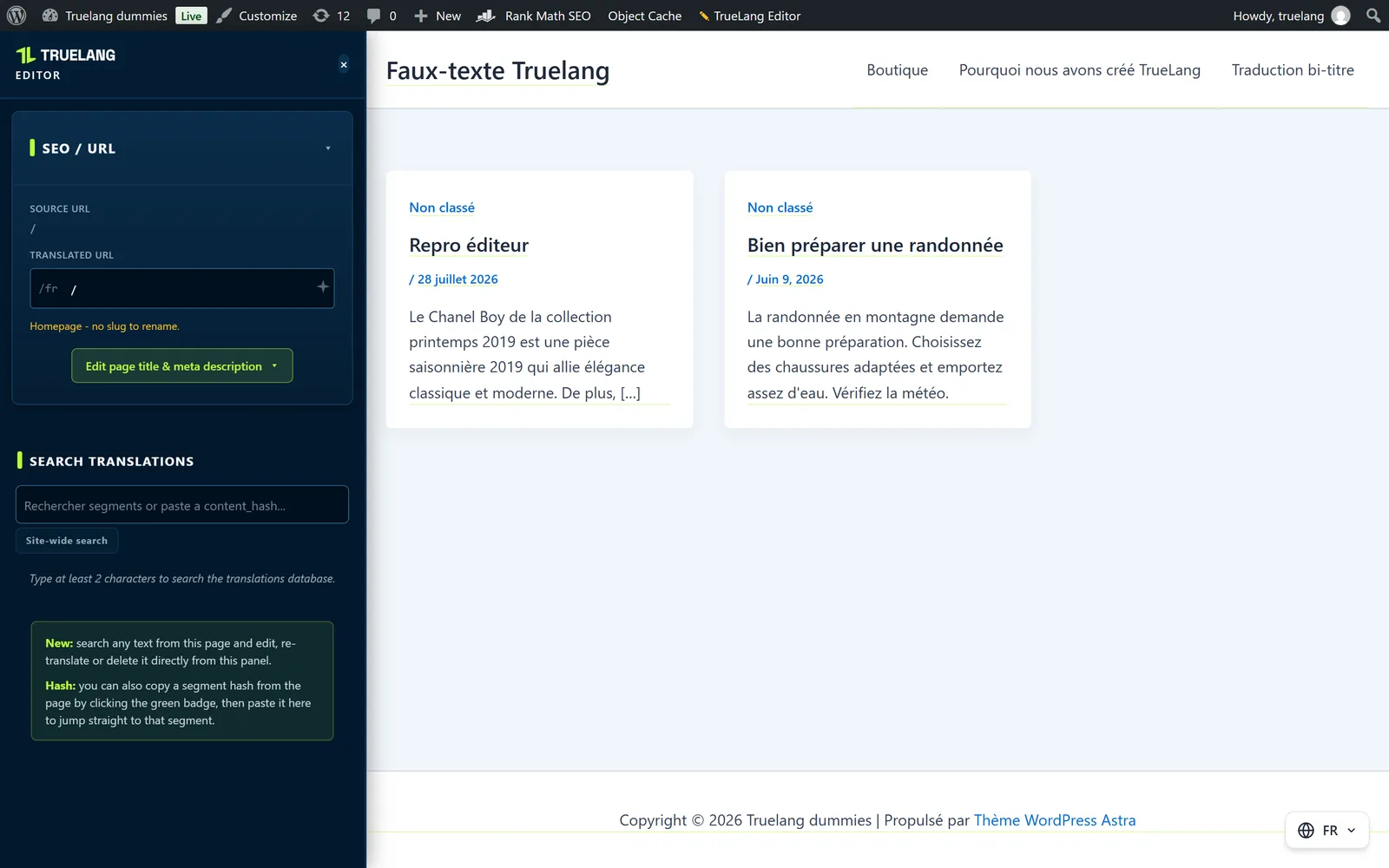
On a translated page, a TrueLang Editor button appears in the admin bar. One click, and each translated sentence underlines itself right on the page.
Green: translated by AI. Orange: edited by you, TrueLang won't touch it again. Red: missing, which mostly happens when the word is the same in both languages (Page in French, Page in English). Identical segments aren't charged.
Search and fix a segment
The left panel searches segments on the page, or across the entire site if you flip the switch. Each result shows the original, the translation in an editable field, and three buttons: save, have the AI retranslate, delete.
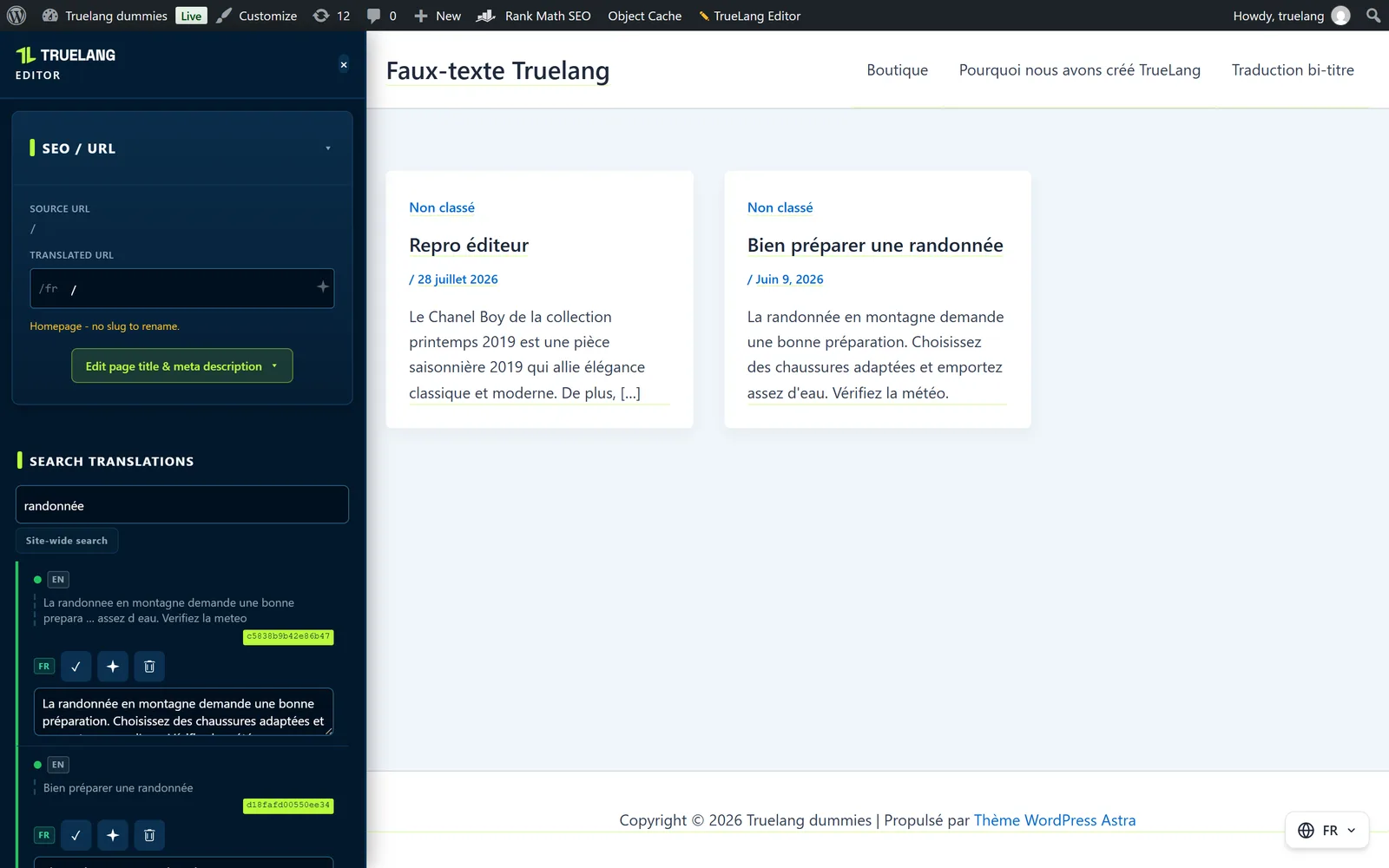
Each segment also has a fingerprint. Click the green pill on the page to copy it, paste it in the search, and you land exactly on that segment.
The page's URL and metadata
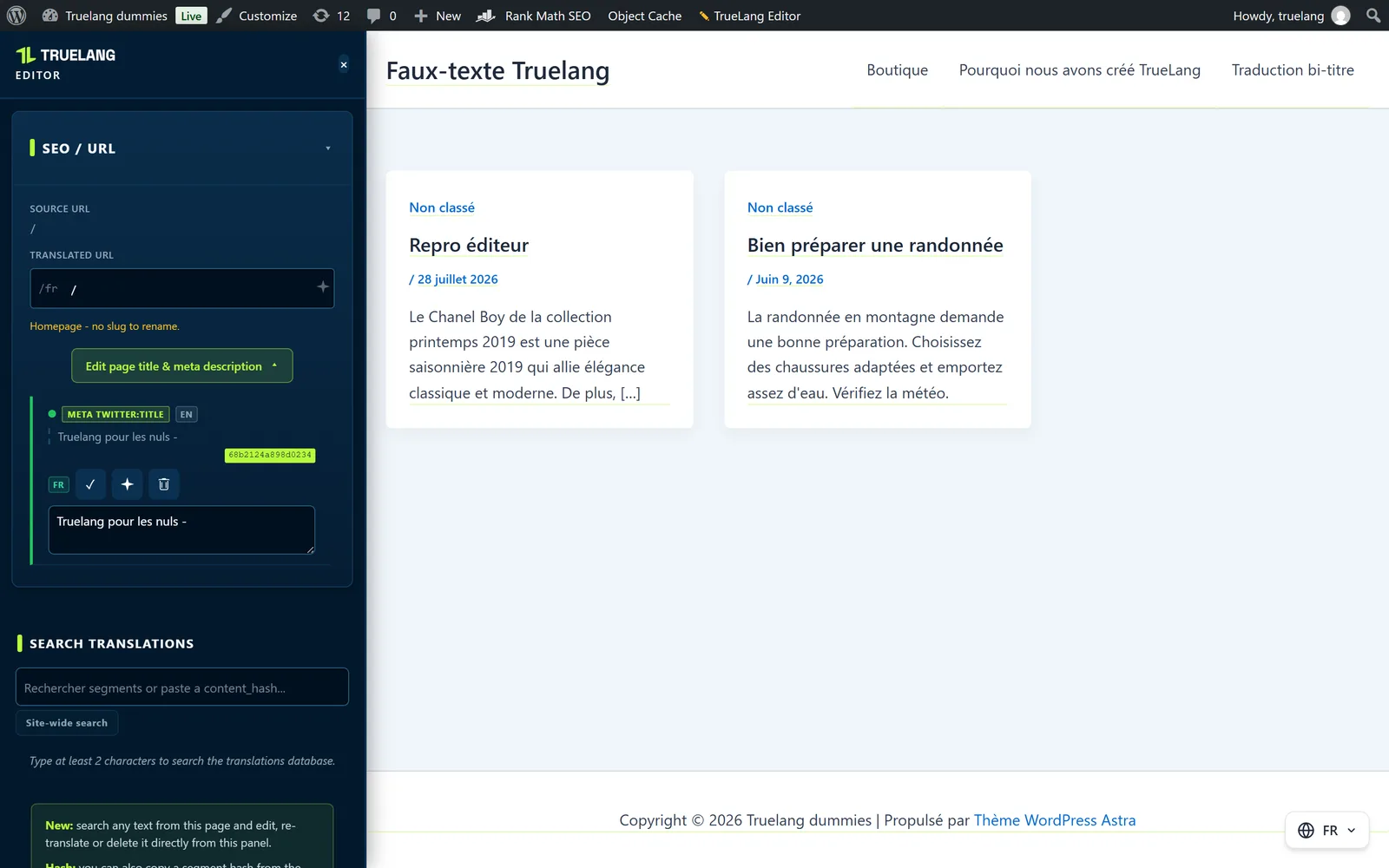
The same panel gives the page's translated URL, which you can rewrite by hand or regenerate with AI, as well as its title and meta description. Clean SEO in each language, without leaving the page.
Search, fix, purge
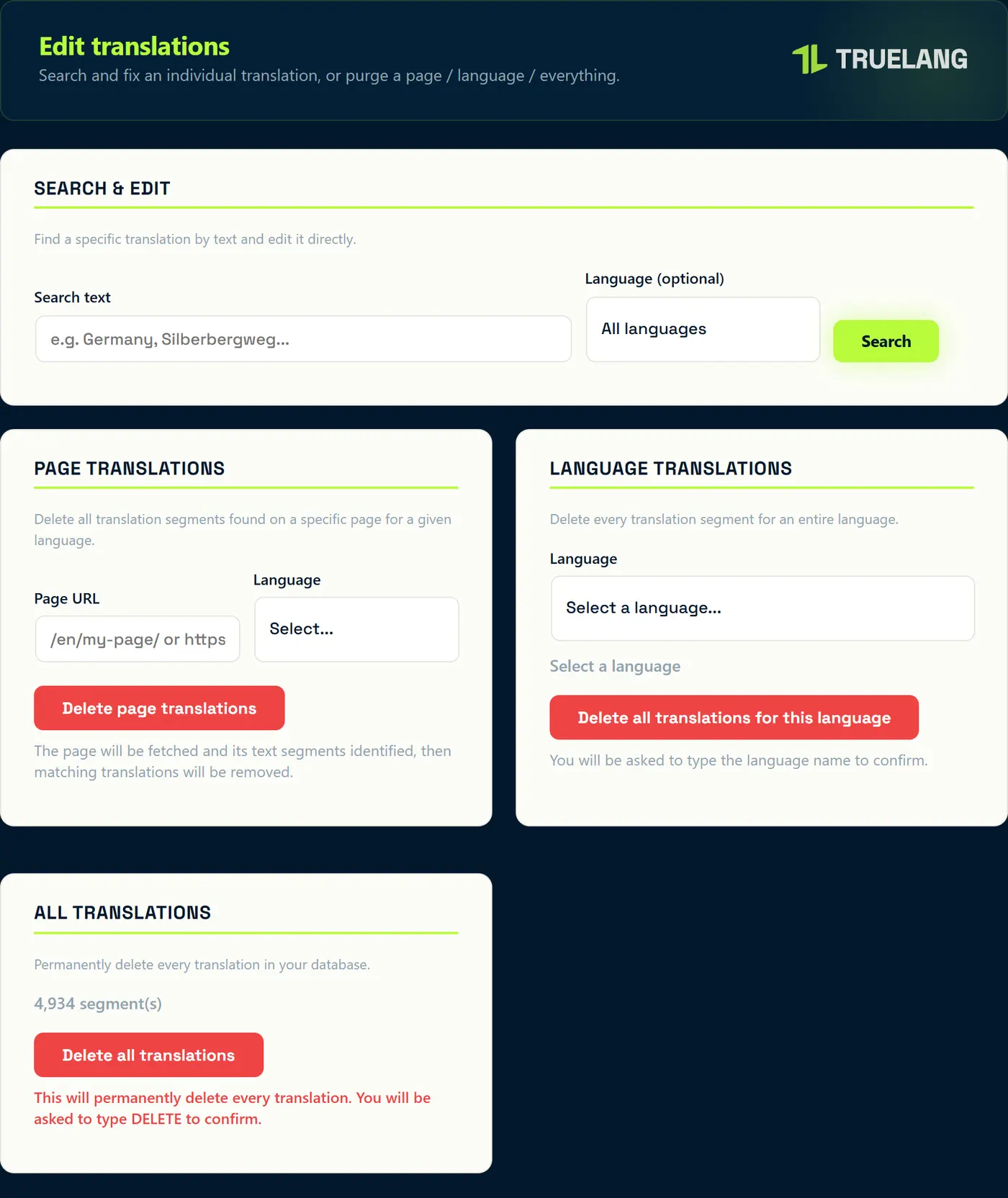
The Edit translations screen searches your entire database by text, with an optional language filter, and lets you fix directly in the list.
Three purges, from finest to most drastic: segments from one page for a given language, an entire language (you're asked to type its name), or all your translations (you're asked to type DELETE).
See the screen
Enforce your translations
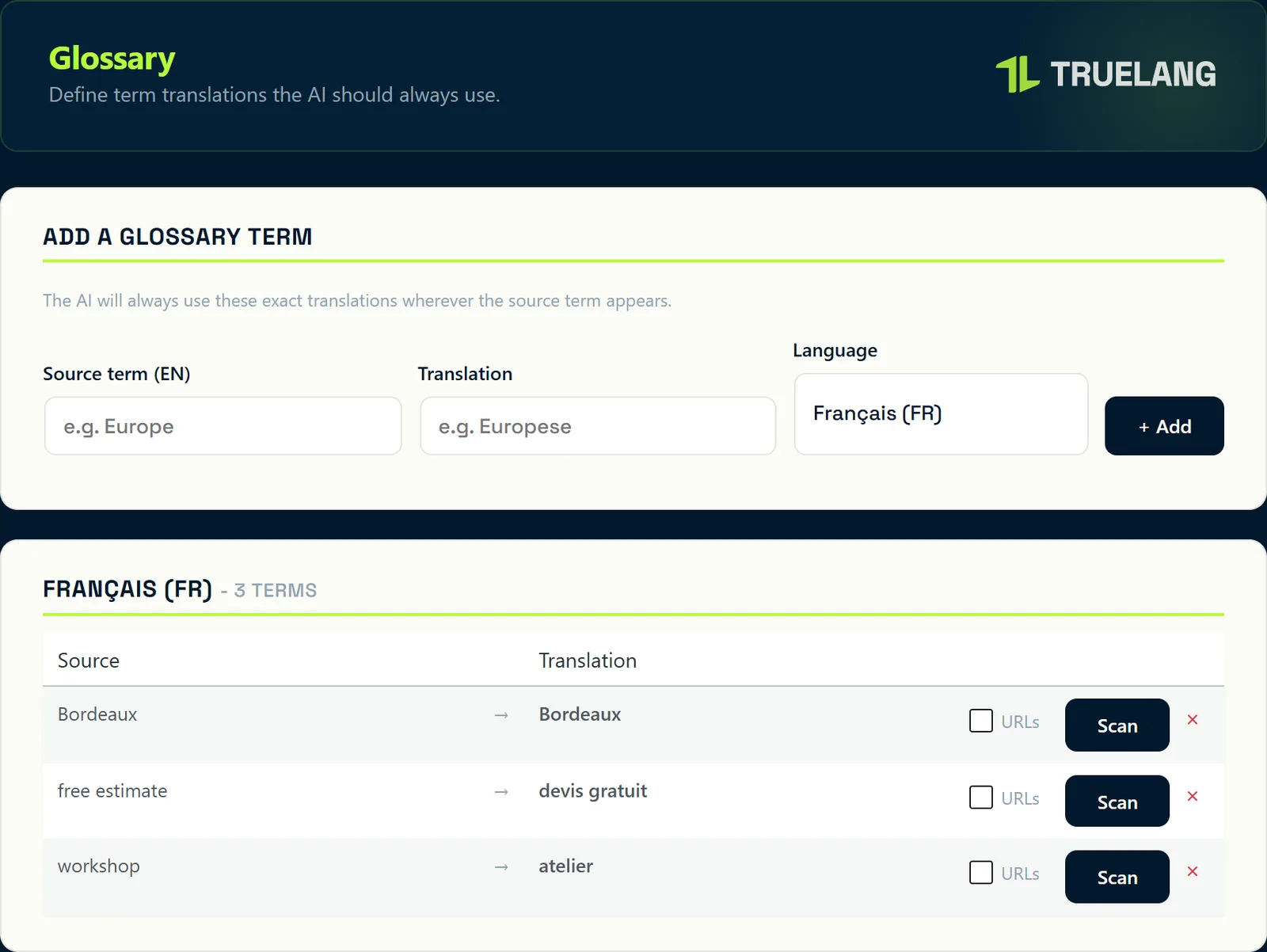
A source term, its translation, the language. The AI will use exactly that one everywhere the term appears. That's where you protect your brand names, product references, and industry vocabulary.
Scan shows where the term already appears in your existing translations, and Retranslate only revisits those segments, not the whole site. A checkbox extends the rule to URLs.
What you don't want translated
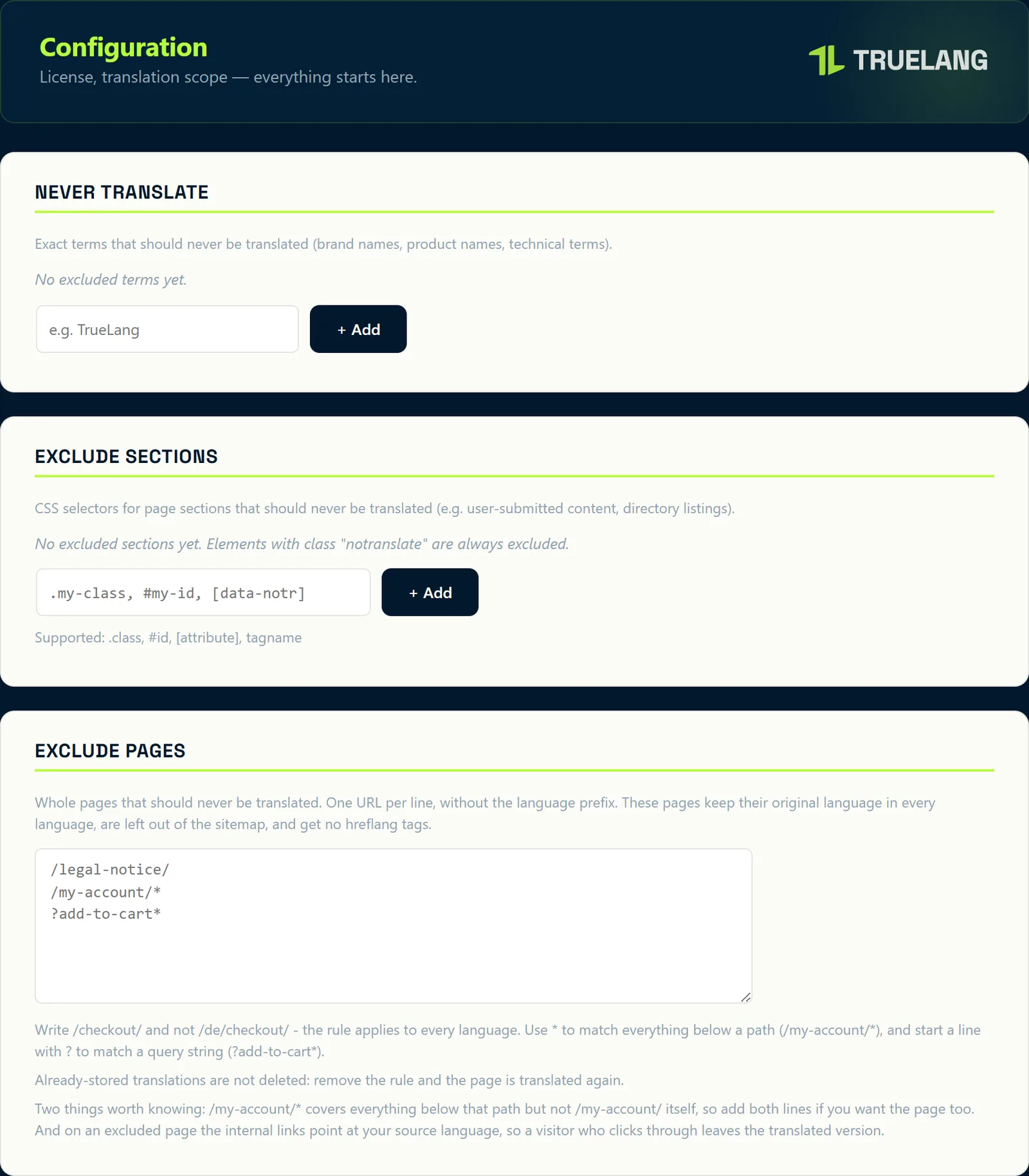
Never translate: exact terms, left untouched everywhere. Your brand names, product names, technical terms.
Exclude sections: CSS selectors, a class, an ID, an attribute, or a tag. Useful for user-generated content. Any element bearing the notranslate class is ignored anyway.
Exclude pages: one URL per line, without the language prefix. The page keeps its source language in all languages, exits the sitemap, and loses its hreflang tags. A star covers everything under a path, and a line starting with a question mark targets a query string.
Two pitfalls to know
/my-account/* covers everything below, but not /my-account/ itself: write both lines if you want the page too.
On an excluded page, internal links point back to your source language: a visitor who clicks leaves the translated version. And removing a rule destroys nothing, already-stored translations return.
The format of your addresses
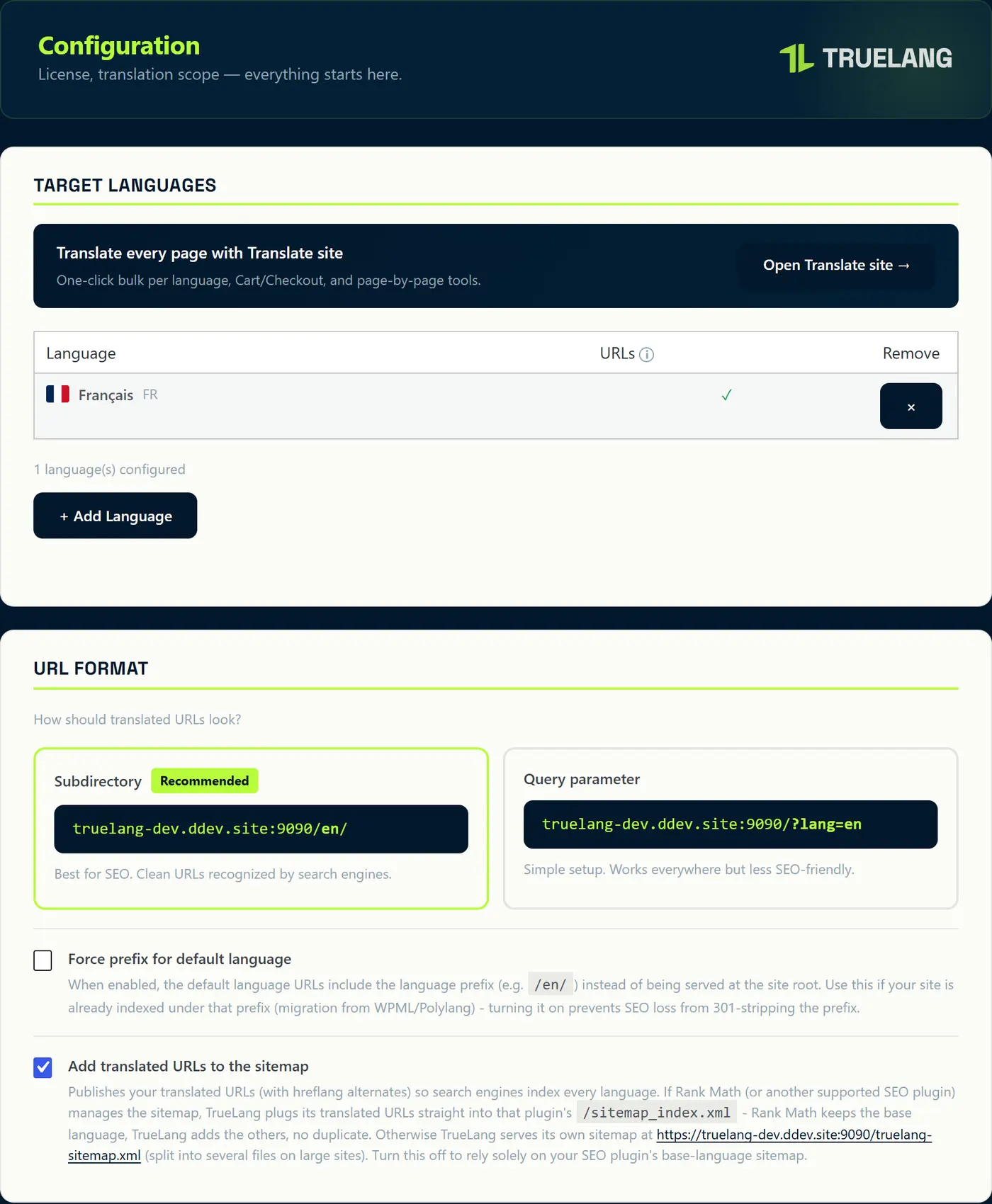
Subdirectory (mysite.com/en/) or URL parameter (mysite.com/?lang=en). Subdirectory is recommended: it's what search engines understand best.
For each language, a checkbox also translates slugs: /en/about/ rather than /en/a-propos/. It's not offered for languages with ideograms or right-to-left scripts, whose characters don't pass in a URL.
Two more settings: force the prefix on the default language, useful when your site is already indexed under /fr/ after WPML or Polylang, and add translated URLs to the sitemap.
See the screen
The selector, down to the CSS
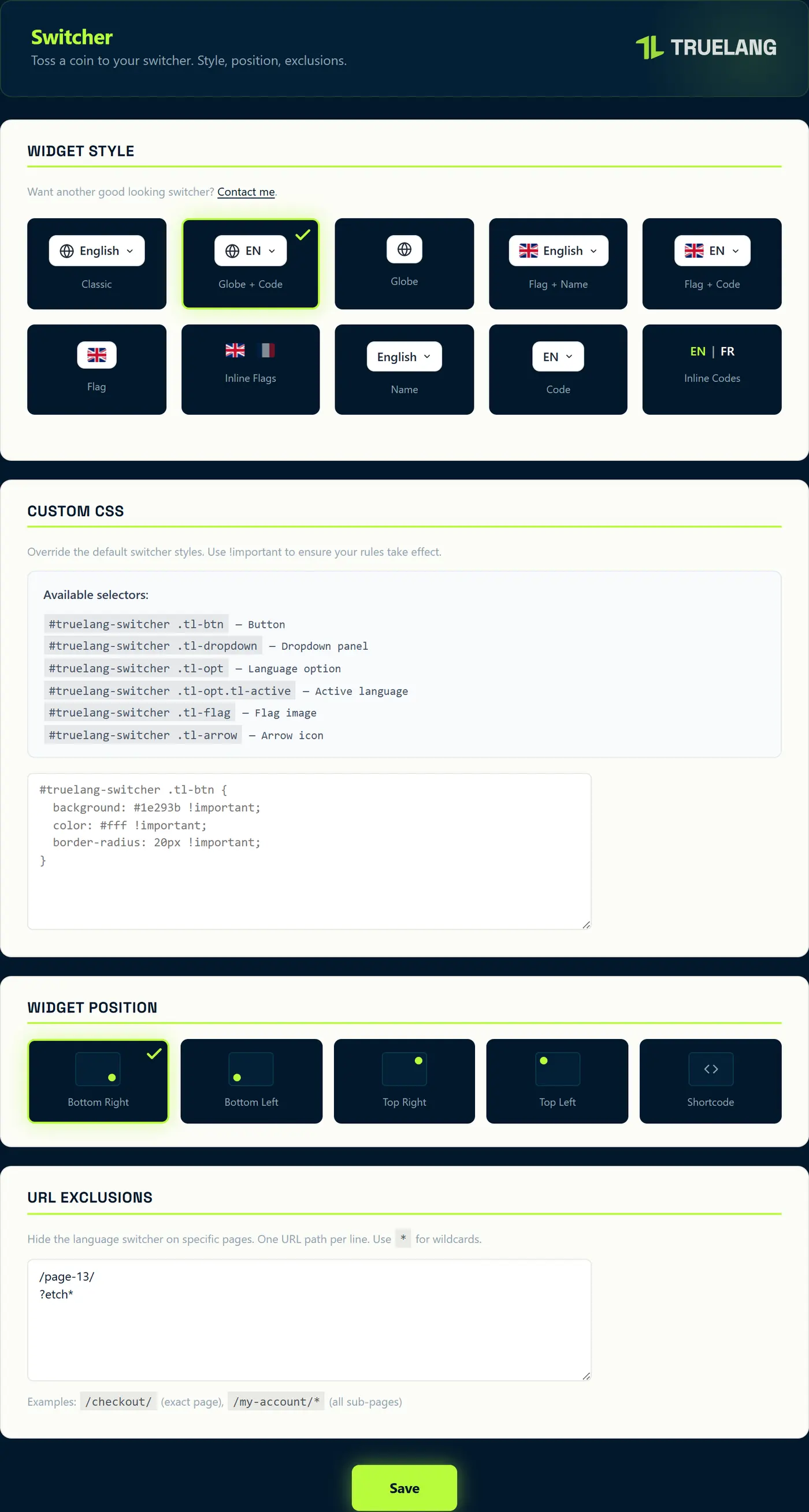
Ten styles, five locations, and the [truelang] shortcode to place exactly where you want in your page builder.
A custom CSS field, with selectors documented right there: the button, the dropdown panel, an option, the active language, the flag, the arrow, and the inline bar. Enough to blend it into your theme without touching code.
And URL exclusions, to hide it on pages where it doesn't belong: the checkout flow, the customer area.
See the screen
What runs without you lifting a finger
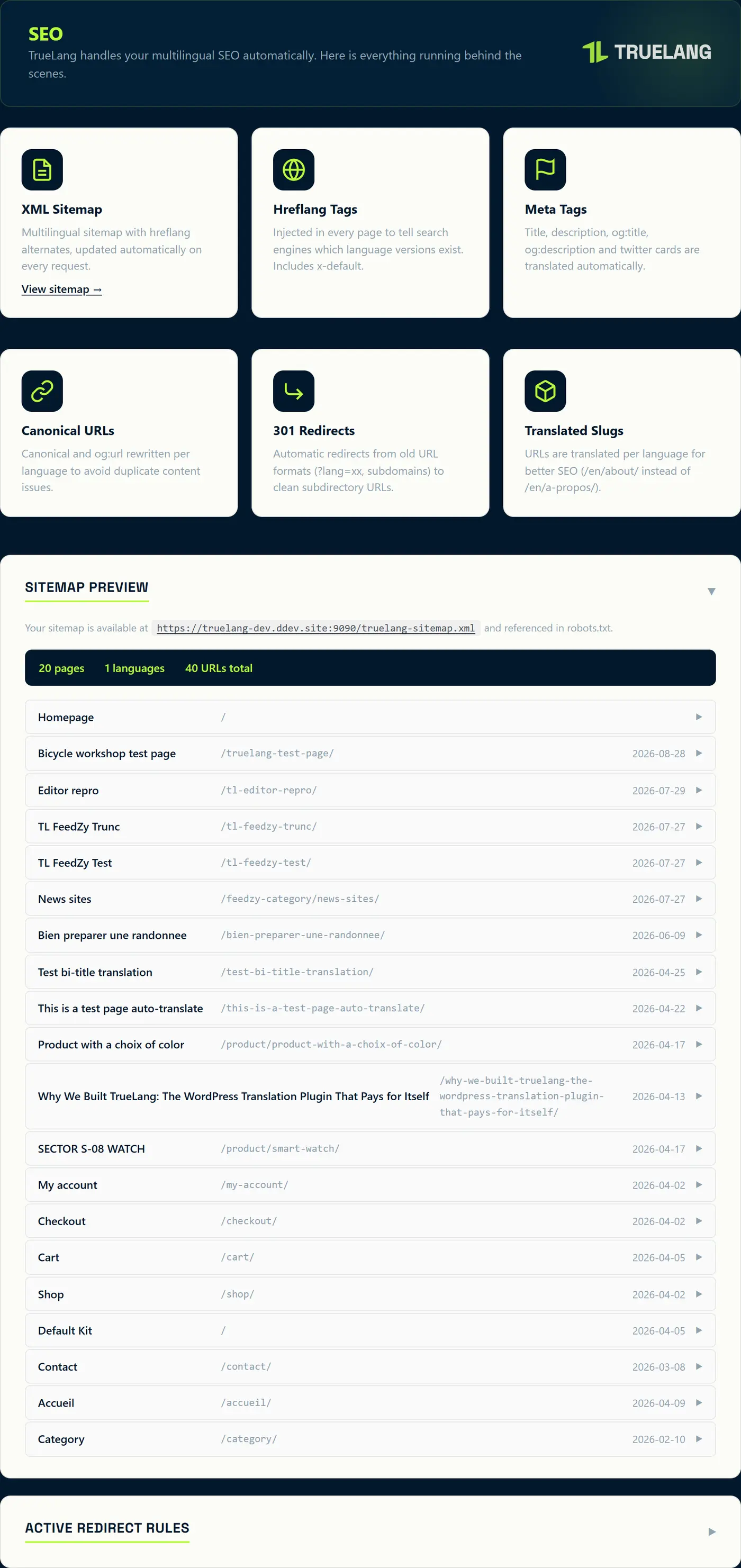
Multilingual sitemap with hreflang alternates, regenerated on each request. hreflang tags with x-default injected on each page. Translated titles, descriptions, og:, and Twitter cards. Canonical and og:url rewritten per language to avoid duplicate content. Translated slugs.
The page also lists your active redirect rules, and lets you add more by hand. It's for old URLs TrueLang never saw: pages created by your old translator and already deleted before migration. You take the 404s from Search Console and paste them here.
See the screen
Coming from another plugin
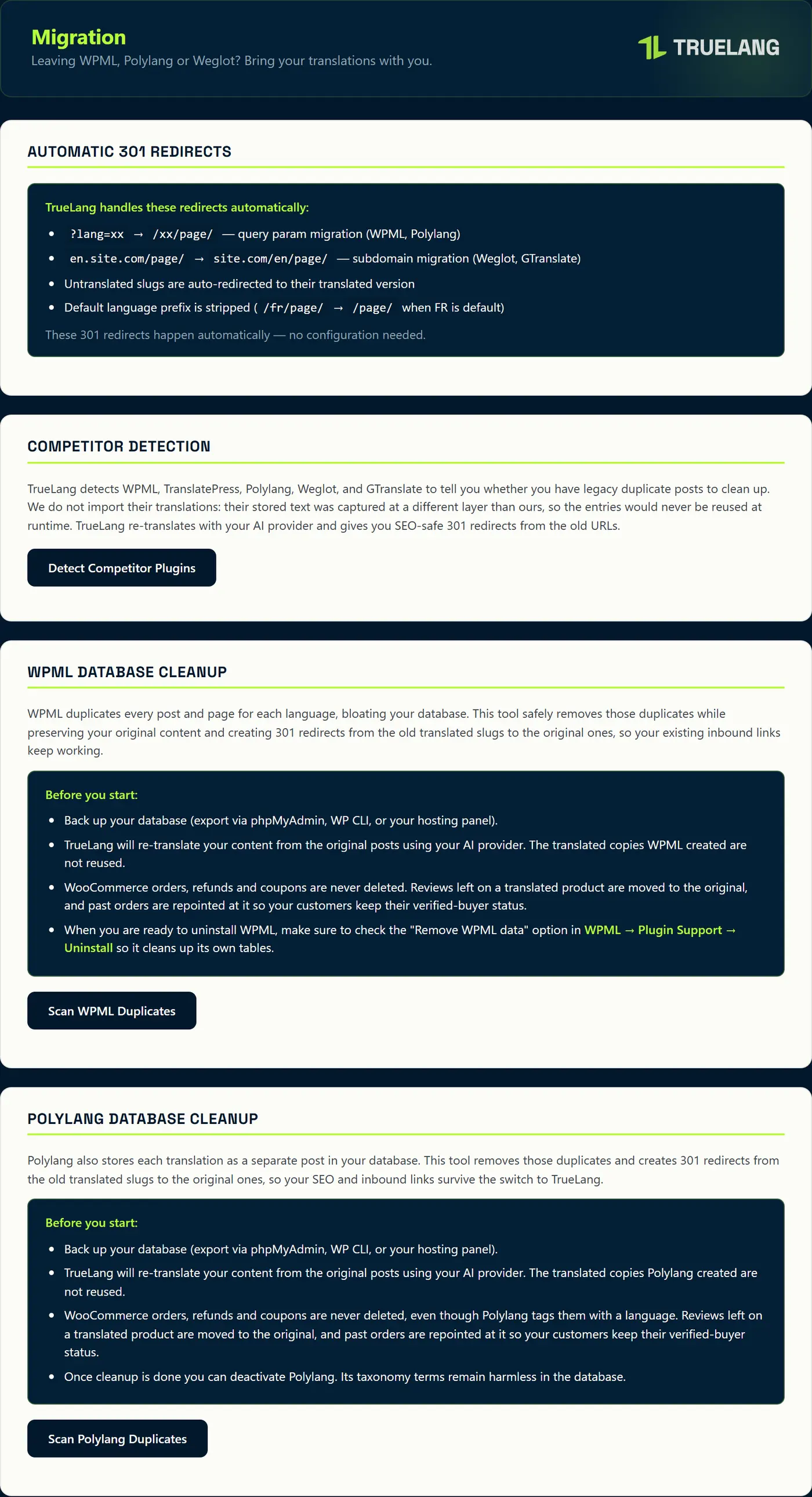
Four 301 redirects are set without configuring anything: ?lang=xx to /xx/page/, en.mysite.com to mysite.com/en/, an untranslated slug to its translated version, and the default language prefix removed.
A button detects WPML, TranslatePress, Polylang, Weglot, and GTranslate, and tells you if there are duplicates left to clean. TrueLang doesn't import their translations: they were captured at a different level than its own and would never be reused. It retranslates with your engine and gives you the redirects.
Two cleaning tools, one for WPML, one for Polylang, remove duplicate posts by creating 301s in the process. Your WooCommerce orders, refunds, and coupons are never deleted, and reviews left on a translated product are migrated to the original with verified purchaser status for your customers.
See the screen
Know in advance what will break
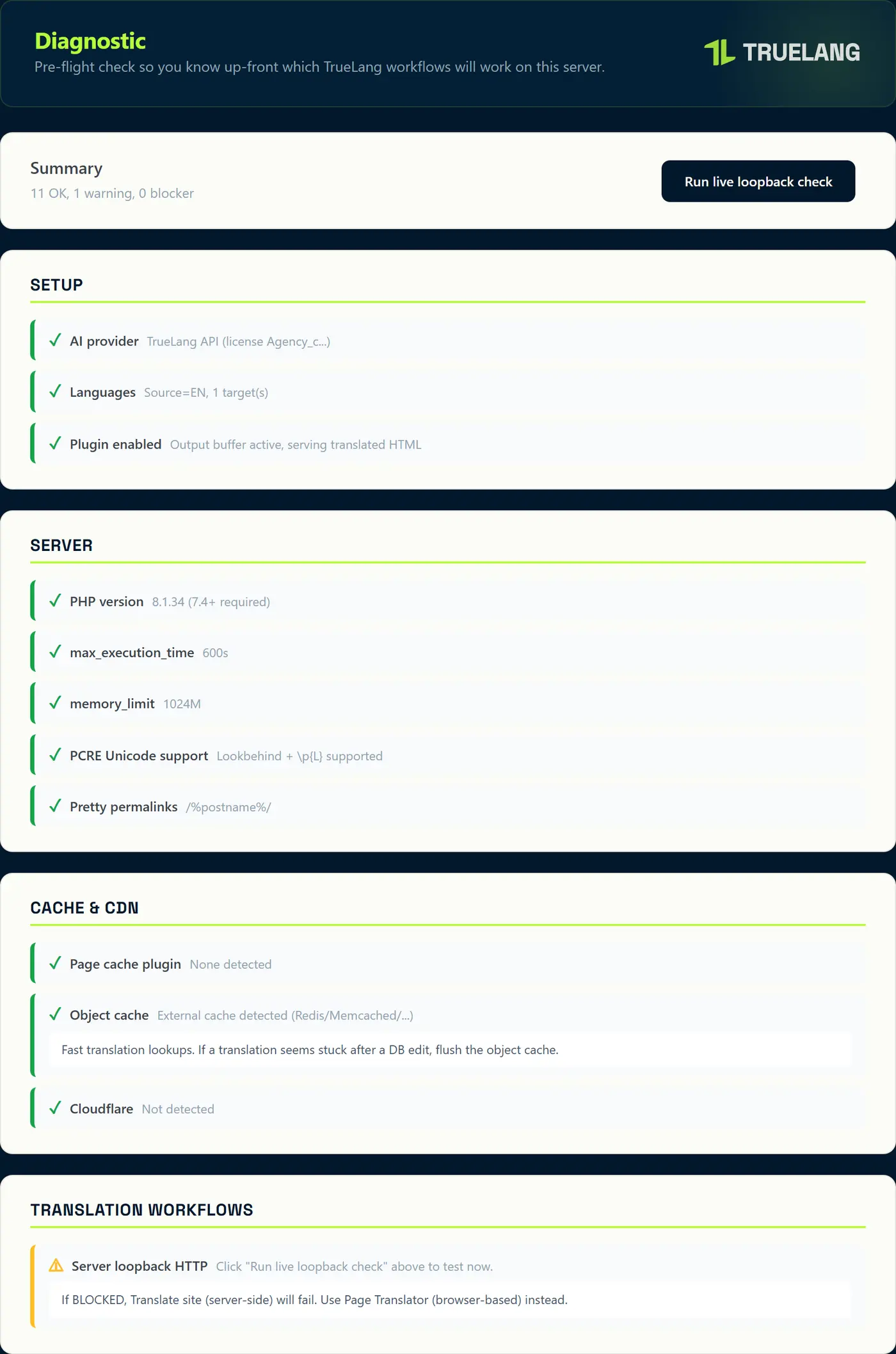
Four families of checks: your configuration, the server (PHP version, max_execution_time, memory_limit, Unicode support for regular expressions, permalinks), cache and CDN (page cache extension, object cache, Cloudflare), and translation modes.
The loopback test launches on demand. If your server can't call itself, server-side translation will fail: you'll need to use the page translator, which works from your browser. You know this before launching, not in the middle.
See the screen
Know what it will cost
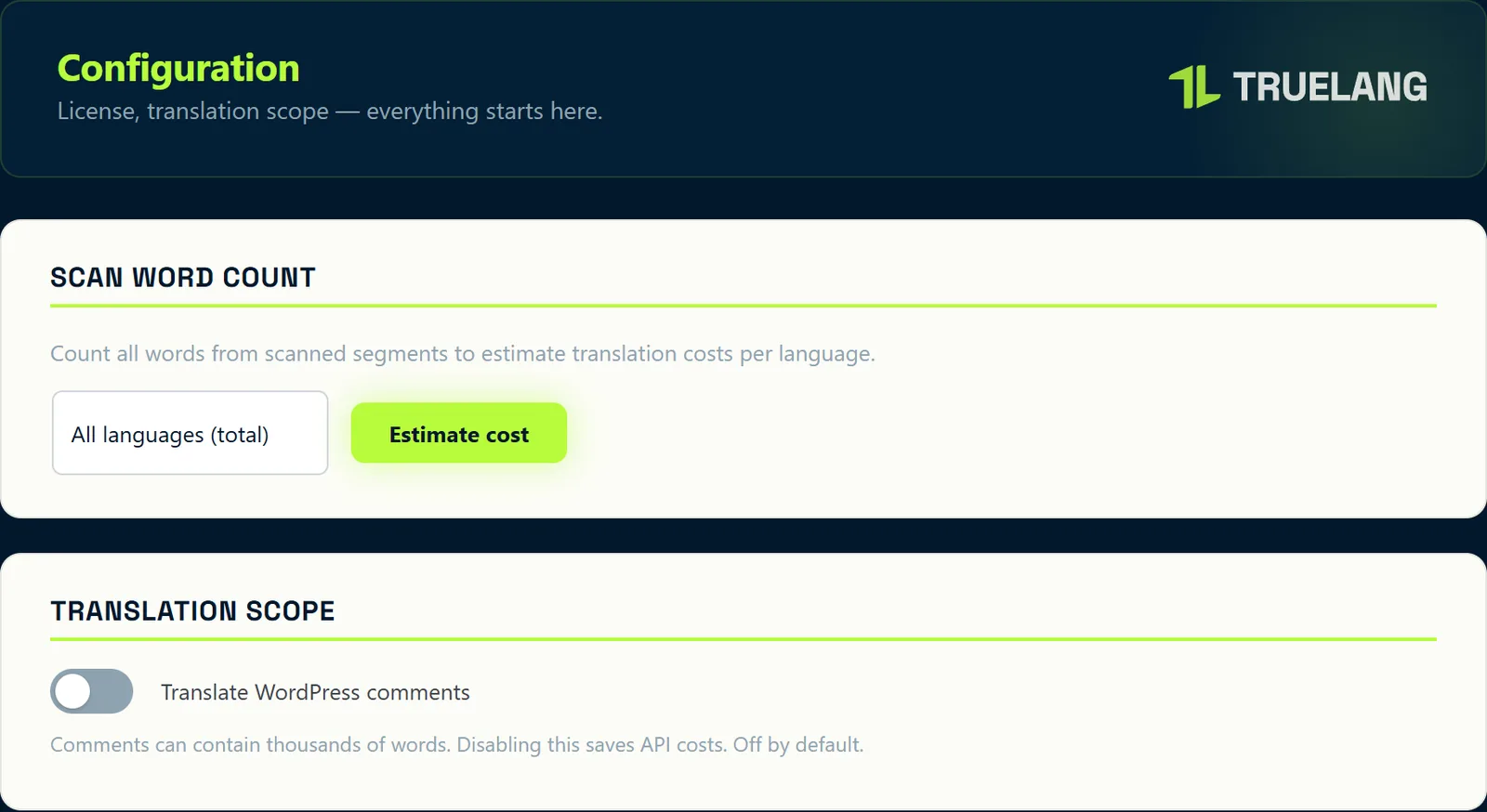
A word counter, per language or all languages combined, calculated on segments already identified. You have an estimate before launching, not a surprise after.
And WordPress comments stay out of scope by default: they weigh thousands of words for a result rarely good, since they're often already written in multiple languages.
We put in this plugin all the features we use ourselves on our own sites.
If a truly essential feature is missing and could help everyone, please contact us. We'll evaluate the need and add it if it makes sense.
The TrueLang team