What does it look like?
I'll show you the entire interface and how incredibly simple it is to use.
Using TrueLang is super simple
I show you the interface below. You'll love it.
Get your license on truelang.io
It takes 3 minutes. It's chill.
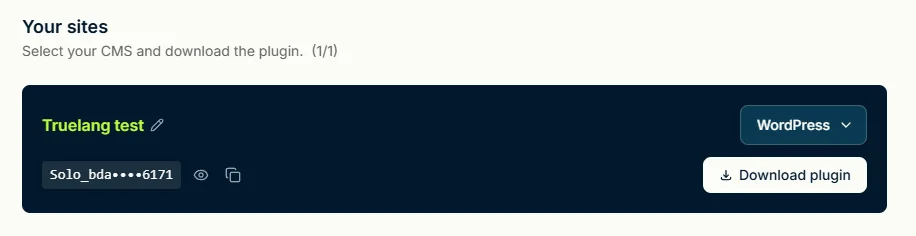
Download and install the WordPress plugin
I won't show you how to do it... In theory you already know!
Ultra simple onboarding.
No brainer, just follow along.
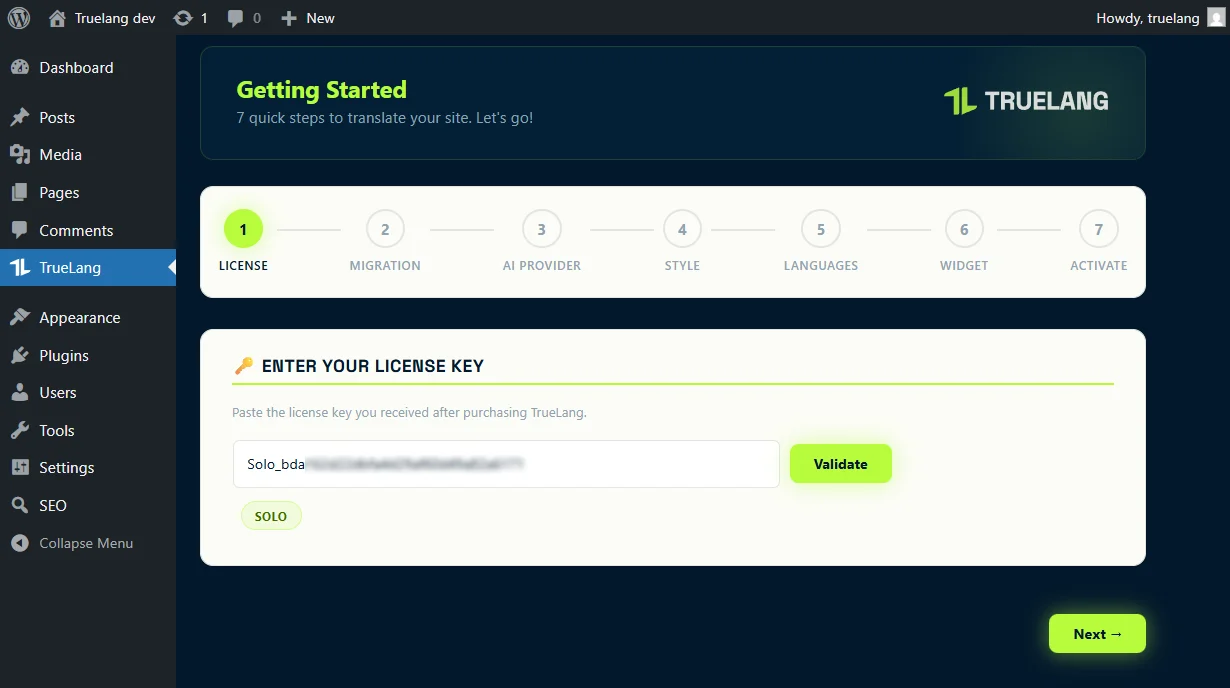
Enter your license key in the WordPress plugin.
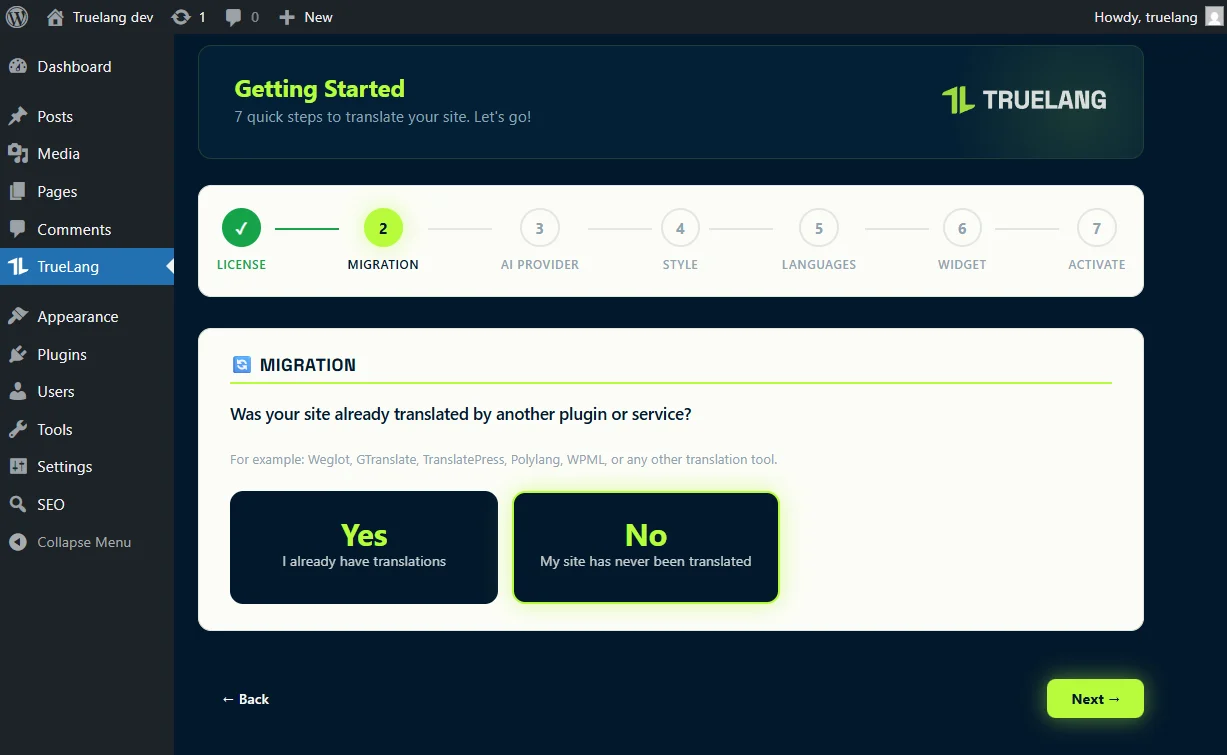
Migration
We handle everything.
You didn't have a translation? Next.
Already translated site? We migrate your SEO without loss and improve it.
Your domain is en.yoursite.com
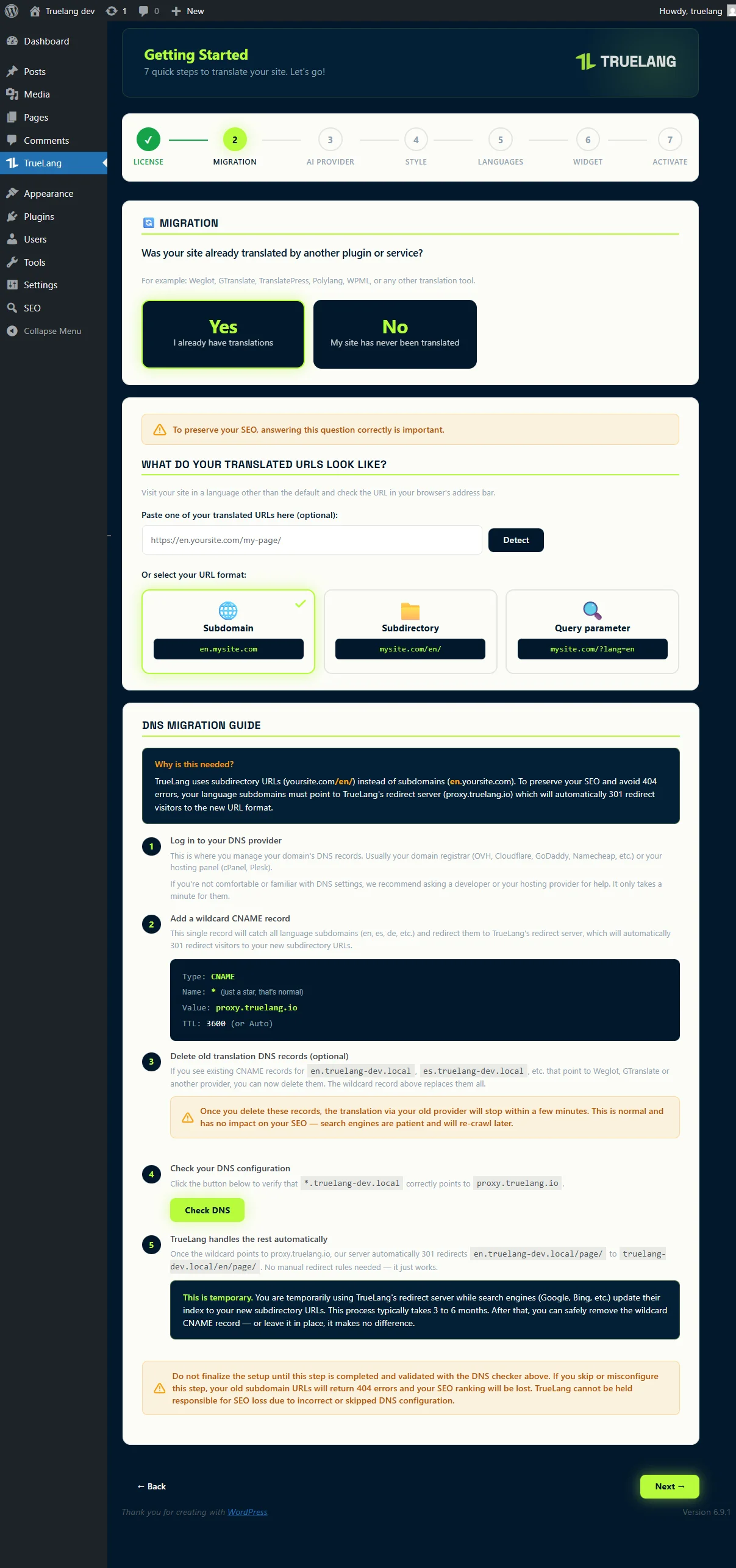
Your domain is yoursite.com/en/ or yoursite.com?lang=en
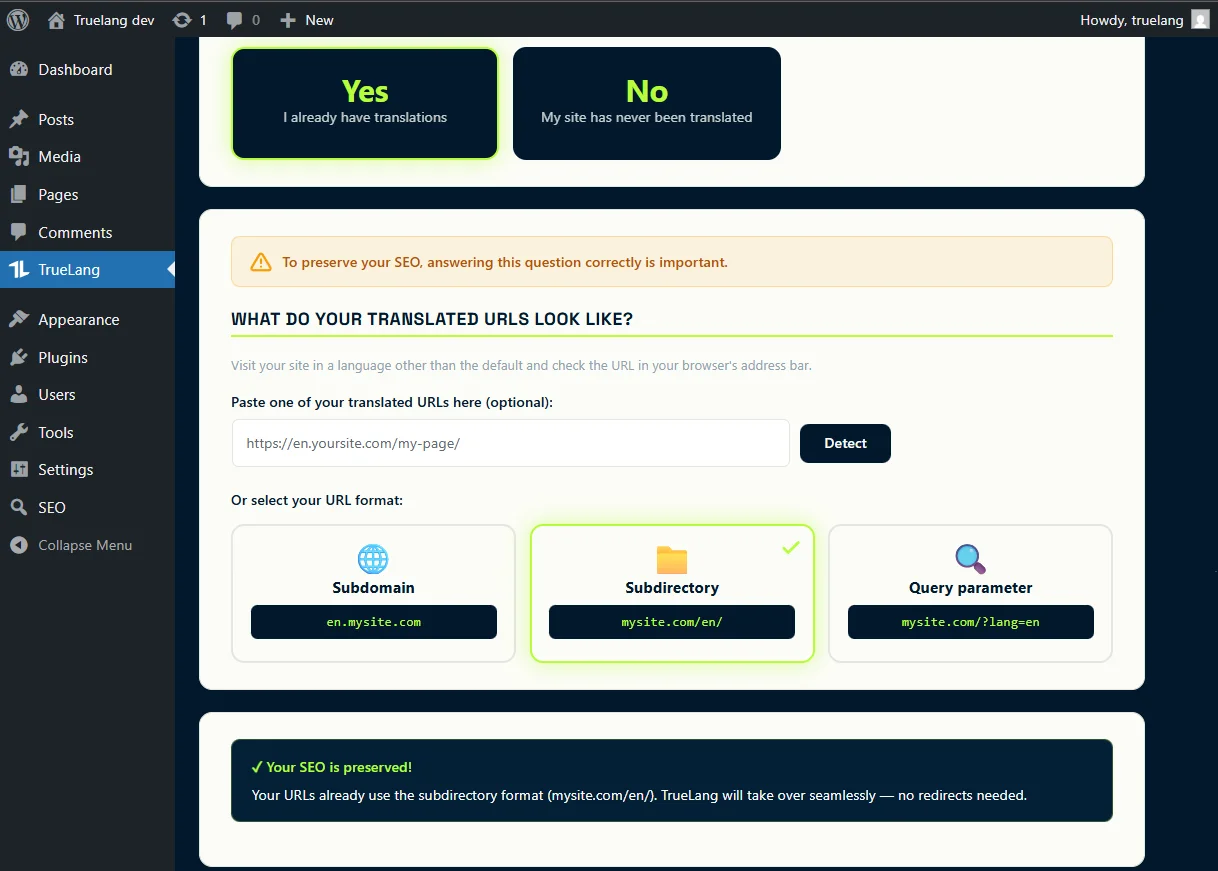
Your SEO will be automatically preserved.
Choose how to translate your site
You have 2 options. In both cases it costs peanuts. You only pay for your translations, nothing more.
You use your own API key
We'll show you how to get one from Claude, OpenAI, DeepSeek, Mistral and Gemini. It's super simple, takes 5 minutes. After that you'll pay them directly for your translations. It's a few cents for a complete site. Some of them will require you to have a minimum credit of 5 euros. Well, you're not broke!
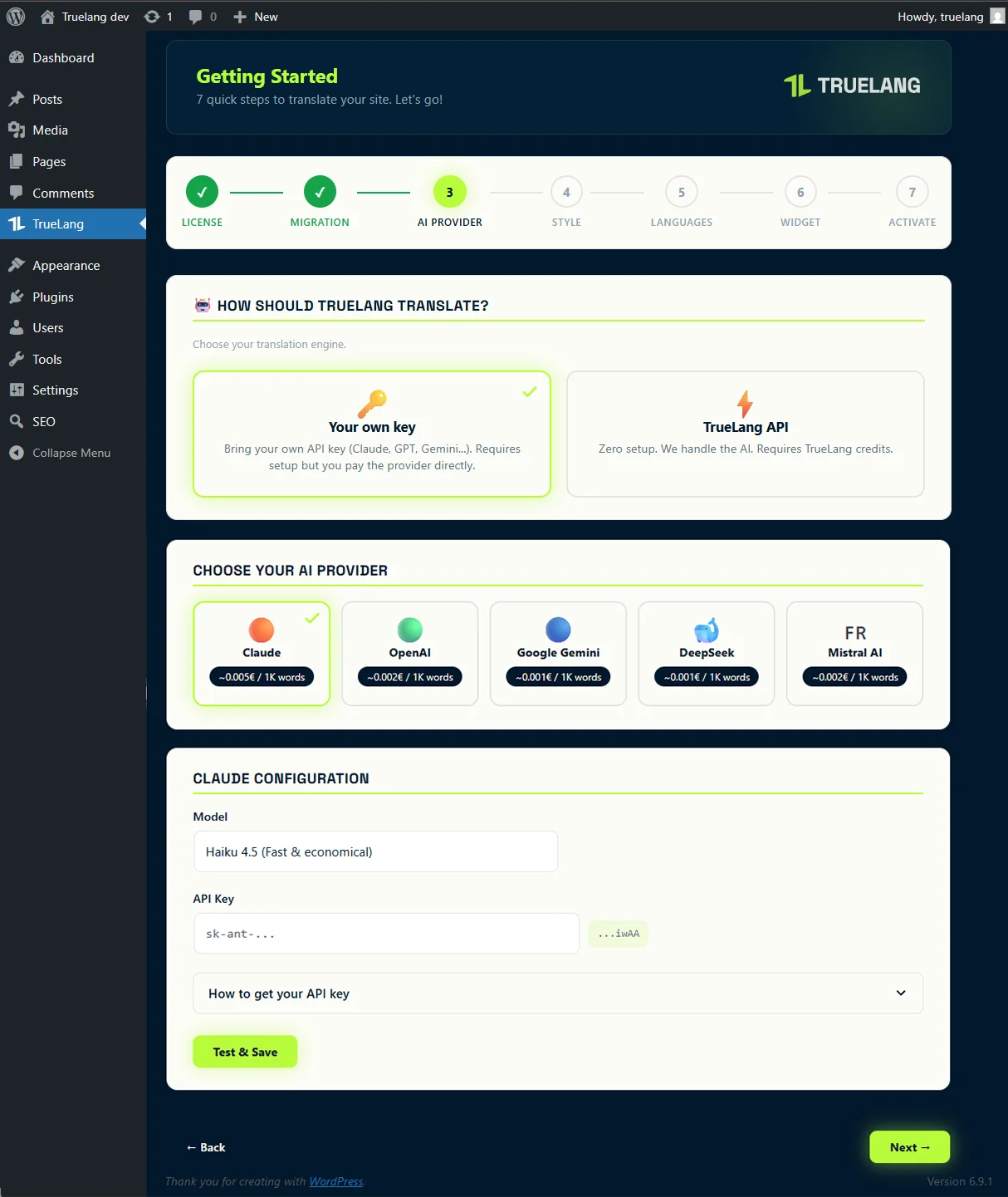
You're really lazy and don't want to do anything?
We'll handle the translation for you. We'll use our Claude API (Anthropic). You need to go to your truelang.io account and buy credits (starting from 5 euros). Don't worry, it will still cost you just a few cents to translate your entire site. If your site is really huge, you can add credits whenever you want. It's a la carte. You're not forced to do anything.

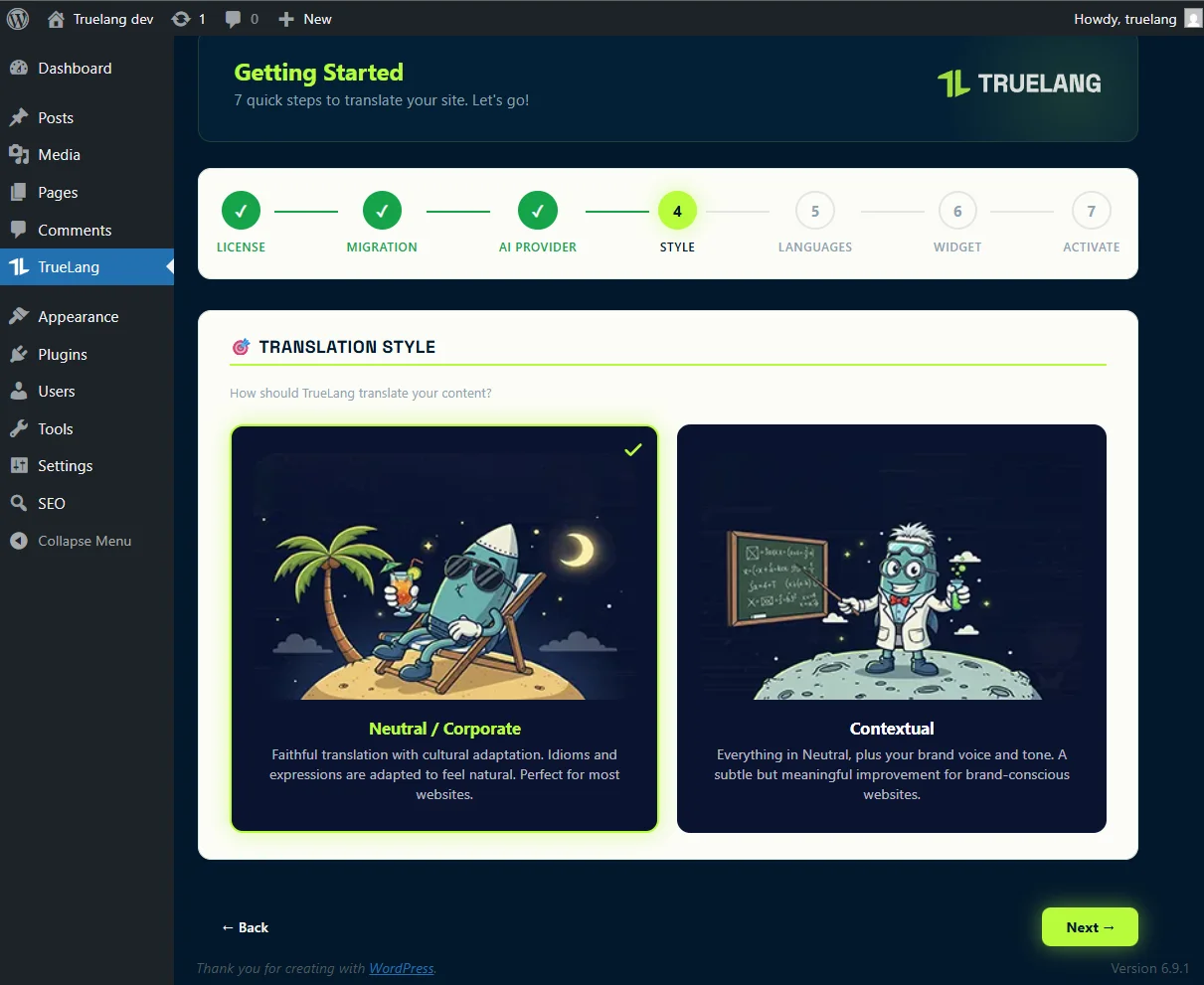
Corporate translation or with context? Choose your style!
Again, 2 possibilities.
You want to keep a rather neutral tone
You choose the first option. A faithful, professional translation without frills.
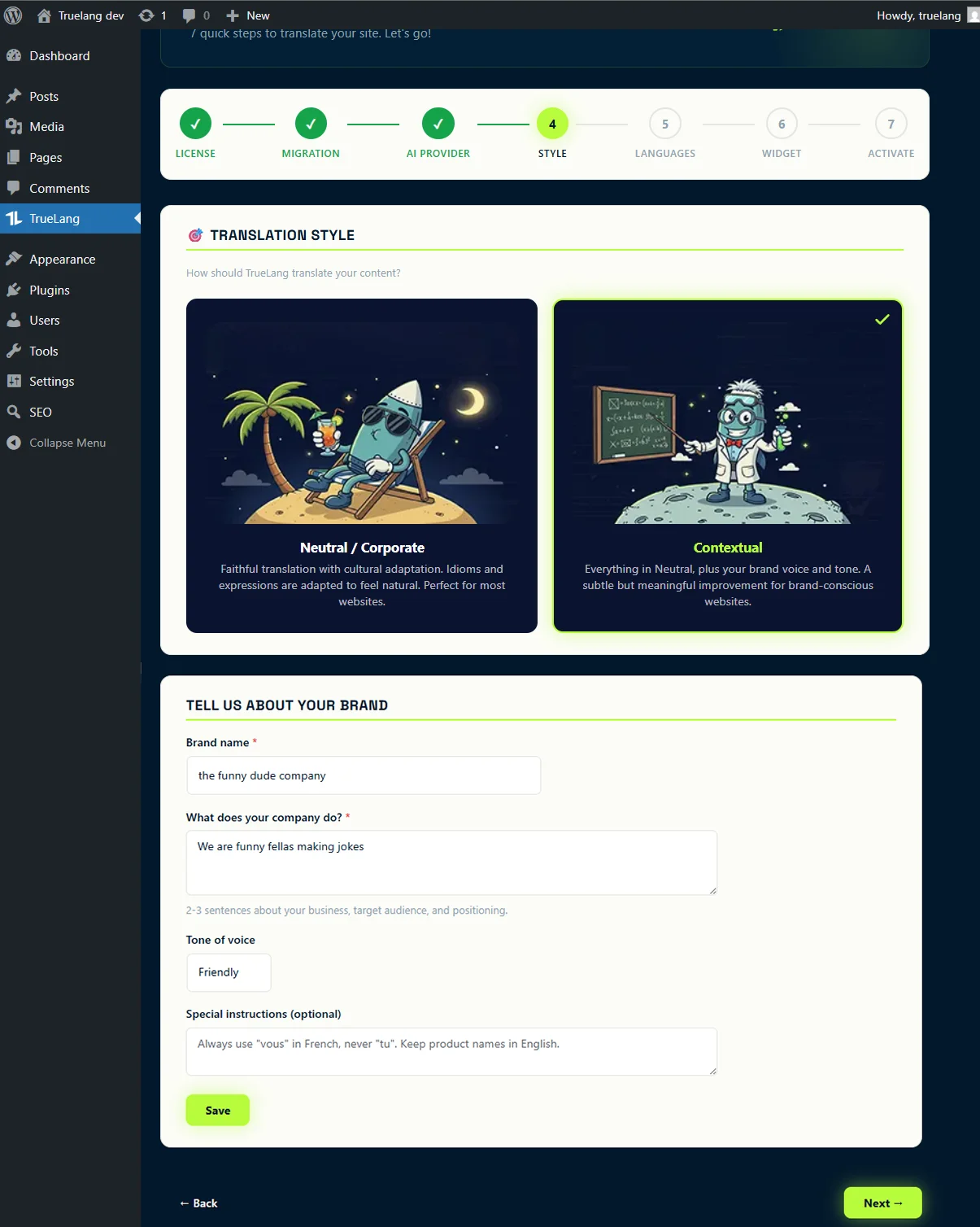
You want the tone to adapt to yours
The tone takes into account the context of your page and your instructions. While adding context depending on the language. For example, English humor is not the same as German humor. Choose this option. And yeah, no other competitor offers you that.
Unlimited languages. Unlimited words. It's free.
Choose as many languages as you want. Easy. The limit is the AI translator you've chosen. Maybe it doesn't know the dialect of penguins on the ice floe... Sorry! But in principle you'll have all the major languages (about 70 possibilities).
Quick reminder: you pay for AI translation once during bulk translation. After that, everything is stored on your server. Every visitor sees the translation instantly, with zero API calls. If you add a rare language and no one visits it: no problem, it's already translated for just a few cents.
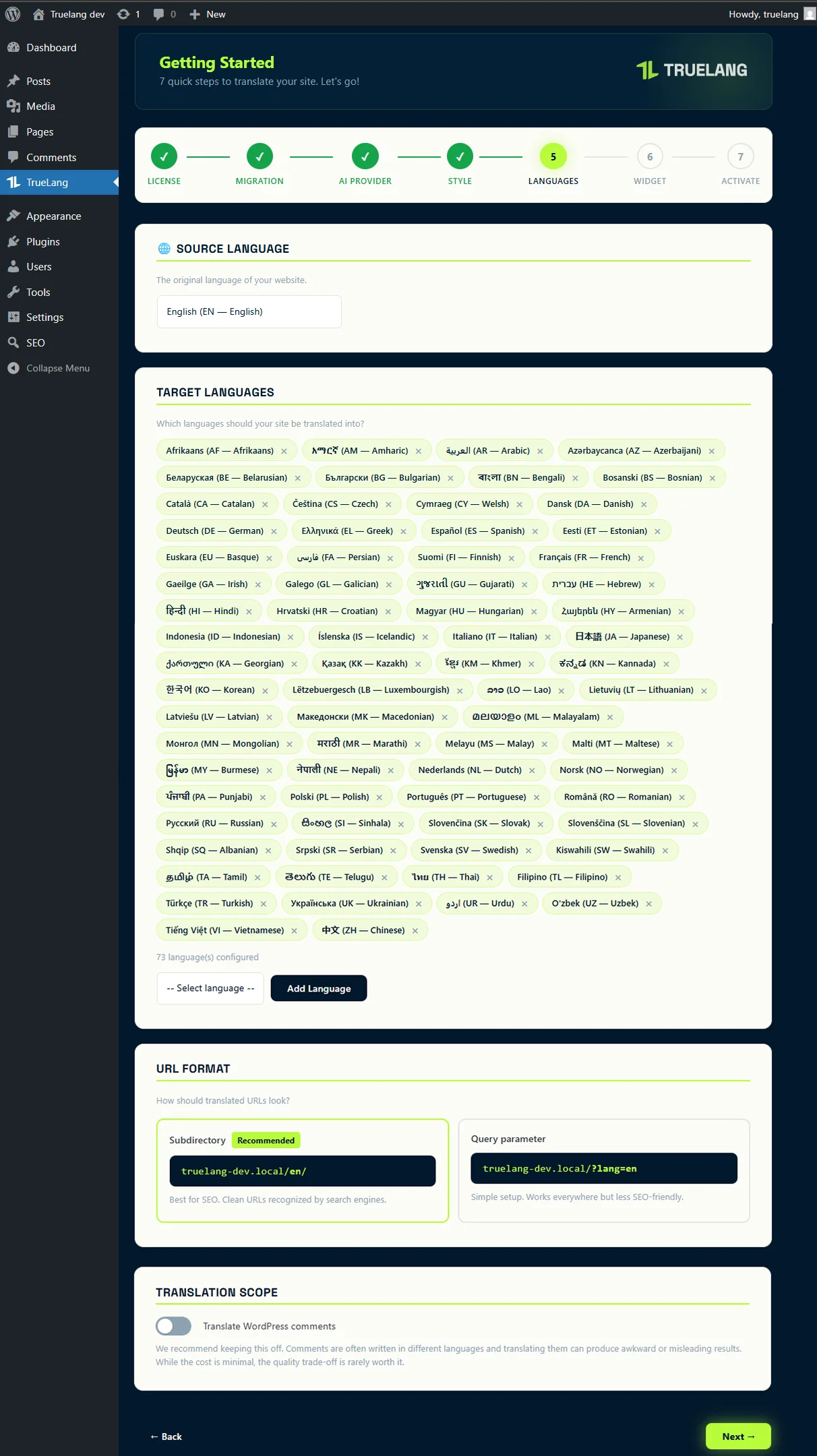
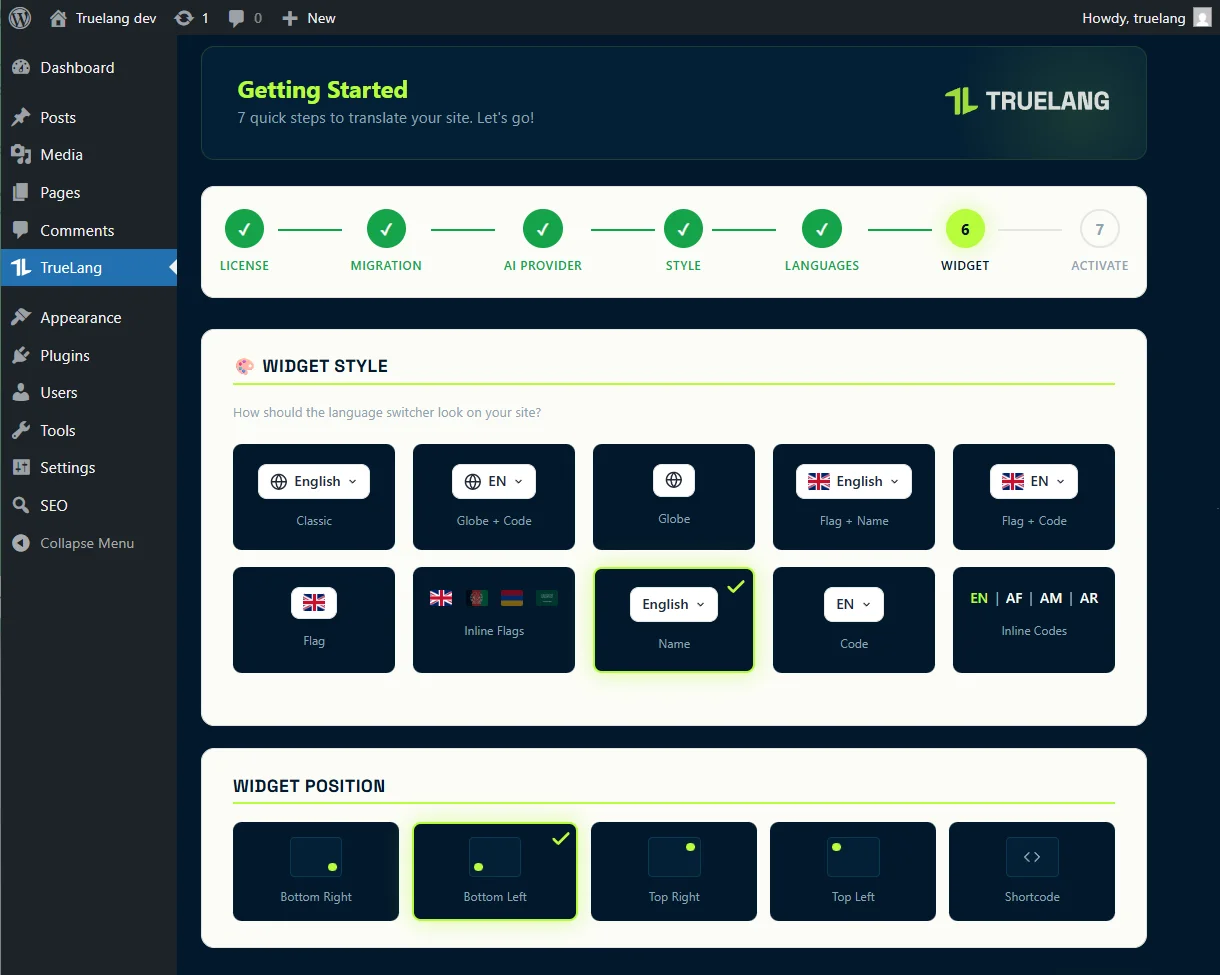
Choose your look
I went all out on widget possibilities. You can place it wherever you want via a shortcode or use positions at the four corners. And you have plenty of options, with or without flags.
Want something WTF different? Contact me, I'll see what I can do.
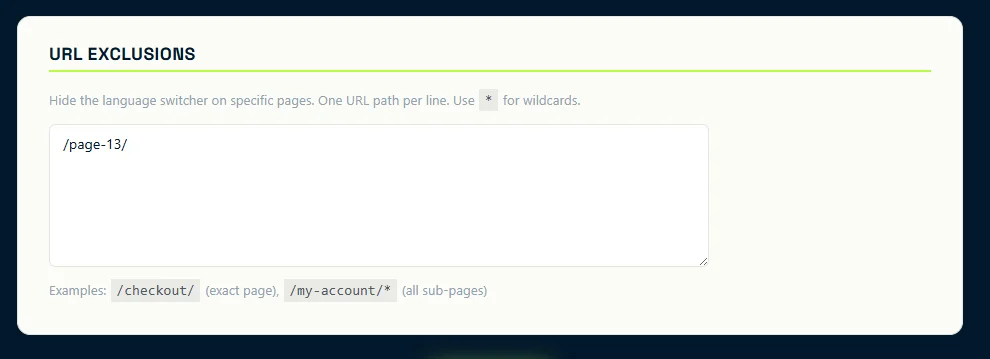
You can even exclude the widget from certain pages of your choice.
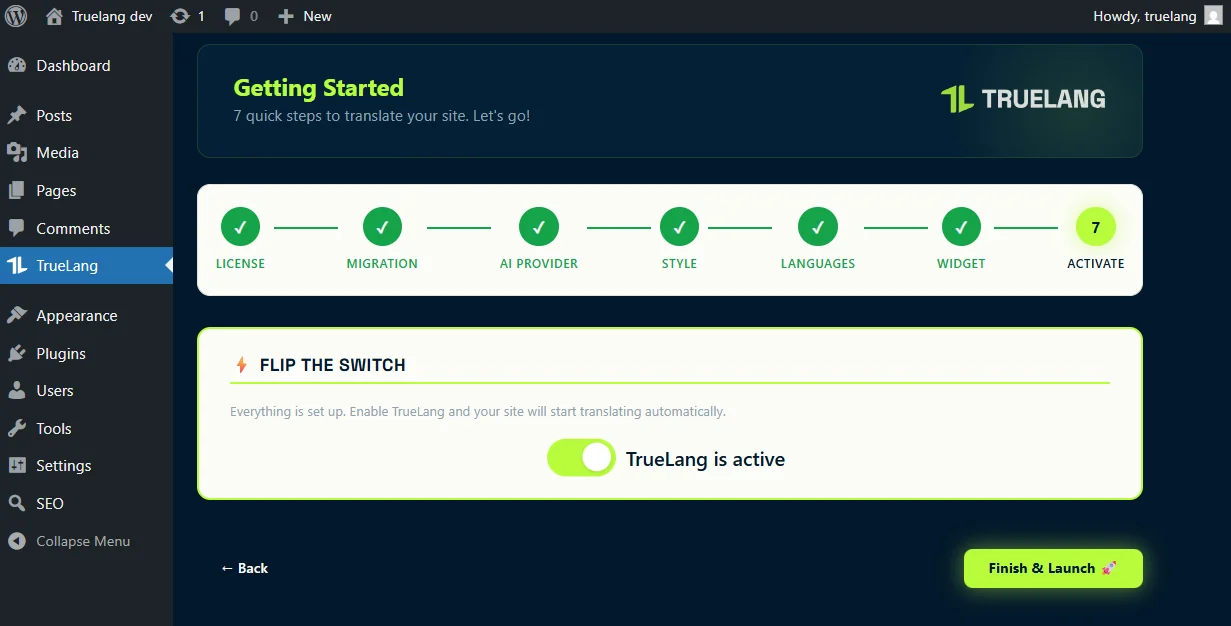
Activate the plugin. You've gone international!
Congratulations! Head to the Languages page in your WordPress admin to bulk translate your entire site. You can also translate individual pages from the post list. Your visitors will see instant translations from cache.
Bonus gift! Edit your translations directly from your site.
I added a visual editor directly from the site. You just need to click the TrueLang button on a translated page. All translations in green have been translated by your AI.
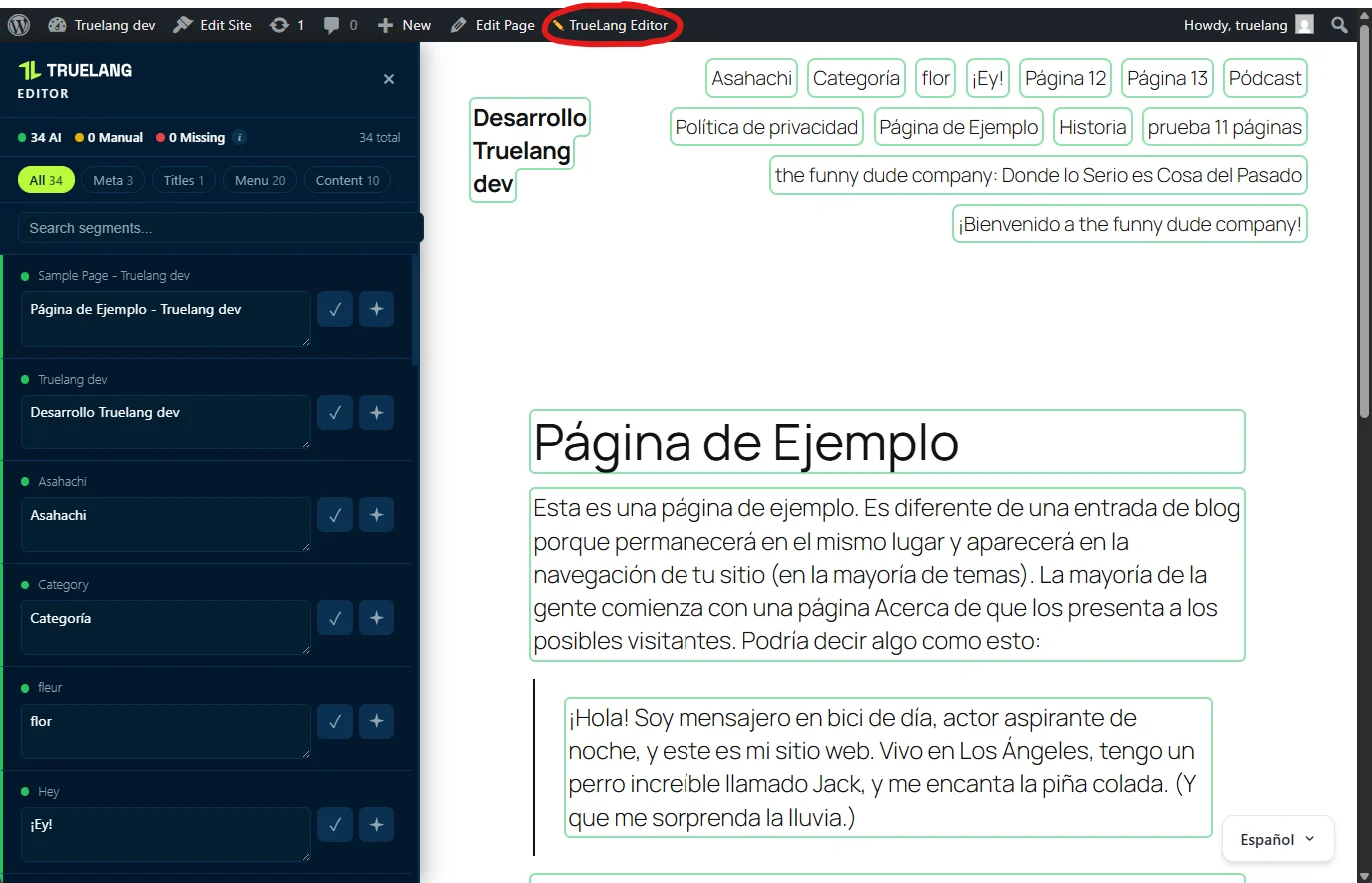
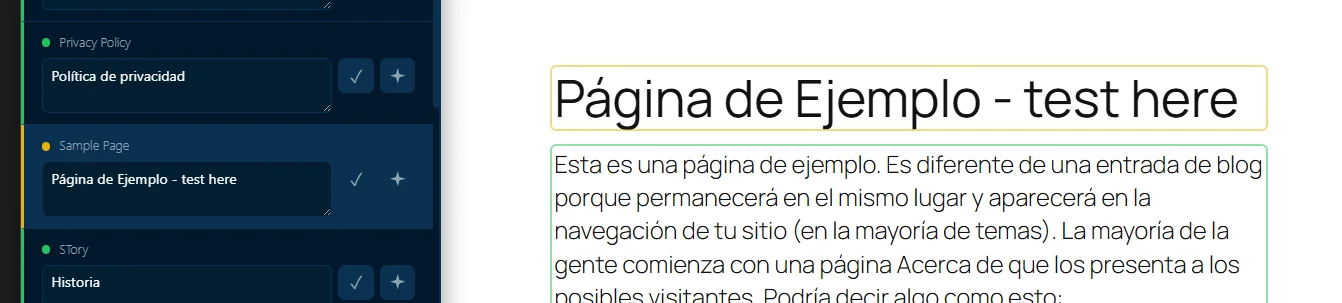
So you can edit a translation yourself, click on it. Validate. It becomes orange to show you that the translation was done manually.
Sometimes there will be missing translations (in red). Well it happens, but generally either you need to relaunch the general translation (very rare) or they are words that in the original language are strictly the same as in the target language. Example: Page (FR) = Page (EN). We don't pay for identical things.
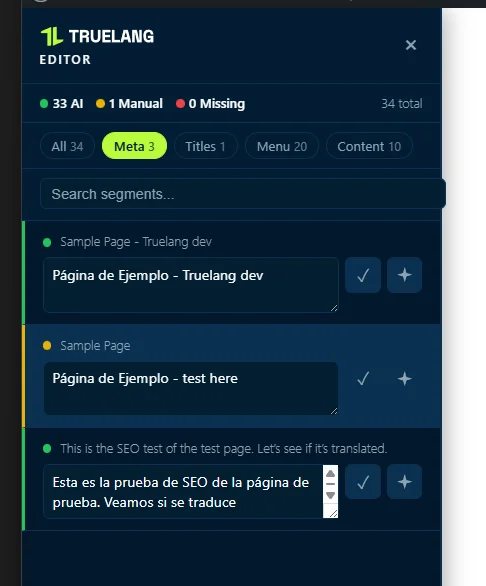
TrueLang also translates your metadata. And so you can edit them from this visual editor for all languages. The best part. Clean SEO for each language in all countries.
I integrated into the plugin all the features I use myself on my own sites. I hope you'll love it.
If you ever have an idea for a missing feature that's really crucial for you and could benefit everyone, don't hesitate to contact me. I'll try to assess the need and add it if it's great.
Theo